
 Custom Search


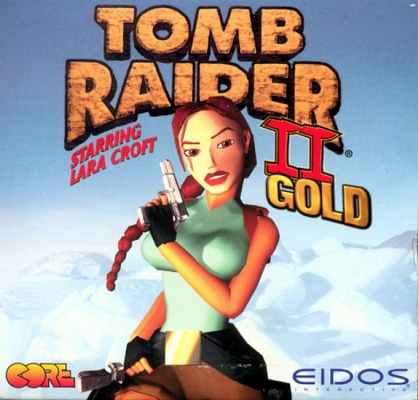
Initial Release: June 1999. Remaster February 2024.
Platforms: Originally Windows and Macintosh only. Also included in the TR2 iOS and Android apps. Remaster: PS4, PS5, Xbox One, Xbox Series X|S, Nintendo Switch, and PC (Steam, GOG, Epic).
Spoiler-free Synopsis: During the course of her research, Lara comes across several clues referring to a small island in the Bering Sea: a faded photograph showing an Inuit whalehunter holding what looks like an ancient golden artifact, an old newspaper from 1945 referring to a conflict over an Alaskan gold discovery, and the blueprints to a secret Soviet military base and mine. Lara is primarily interested in finding the mask, rumored to be the famed Golden Mask of Tornarsuk, a "greater spirit" said to bestow powers of re-animation on its wearer. Lara travels to the frozen north only to find a band of ruthless mercenaries also bent on possessing the mask.
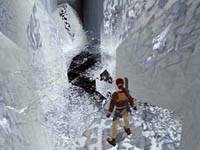
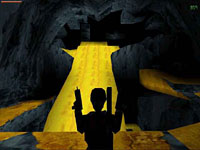
The four main levels take Lara from the abandoned Russian mining base to the remains of ancient Inuit settlement, then into a tropical Shangri-La hidden beneath the complex.
Saving Your Game: Unlimited saves at any point. Savegame files are available if you need them.

Secrets: As in Tomb Raider 2, there are three secrets in every level. Here, these consist of three golden objects: coins, ingots and a carved skull. Sometimes they're well hidden, sometimes in plain sight. There is no reward of ammunition or medipaks for finding the secrets; however, if you find all 12 secrets in the mission, you can access the fifth bonus level, Nightmare in Vegas. As always, my walkthrough includes the location of all secrets.
If you haven't found all the secrets and want to play the bonus level, you can download a save file.
Classic Tomb Raider Games on New Systems: Tomb Raider II and its bonus levels were designed for Windows 98, but they can be patched to run in any version of Windows. See the TR2 Downloads page for details. For help running the Macintosh version on newer systems, visit MacRaider.
With a little tweaking, the GOG and Steam game downloads also allow you to run the Golden Mask bonus levels. Please see the TR2 Downloads page for details and instructions.
Note that there is a potential bug when using the Golden Mask download with the GOG or Steam TR2 game. Even if you find all the secrets, the game may not count all of them, meaning you will not automatically unlock the bonus level. You'll then need to download a save file to play it.
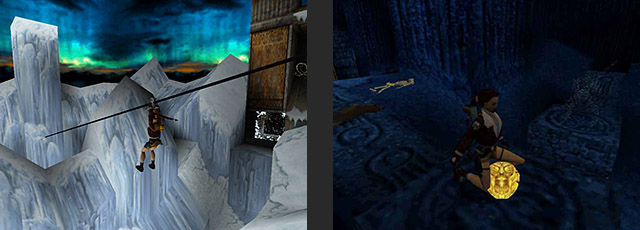
Becoming an Expert Raider
Controls are the same as in Tomb Raider 2. If you need a refresher, check out my TR2 Controls and Gameplay Tips & Strategy pages. They include pointers on moving Lara through her environment, conserving health and ammo, using the menu and inventory systems, and much more.
If you prefer a video walkthrough to text with screenshots, I encourage you to check out my friend Eldincy's Complete TR2 + Golden Mask Remastered Video Walkthrough and Classic TR2 (PS1) Video Walkthrough.
Tomb Raider: The Golden Mask Walkthrough/Strategy Guide
The Golden Mask
Level 1: The Cold War
Level 2: Fool's Gold
Level 3: Furnace of the Gods
Level 4: Kingdom
Bonus Level: Nightmare in Vegas
Some screenshots courtesy of Katie's Tomb Raider Site, Tomb Raider News Channel and Stefan Gråman.