IMPORTANT: Tombraiders.net does not support any of these files and is not responsible for anything that happens to your computer as a result of downloading or installing them. I try to make every effort to ensue that all of the linked files are safe and functional, but I cannot guarantee they'll work on every system. I recommend taking proper precautions with any downloaded file, including downloading from reputable sites, scanning with an anti-virus/spyware program, following installation instructions, and backing up your existing files before installing anything new.

Tomb Raider (1996) Downloads
The best way to experience Tomb Raider 1 and the Unfinished Business expansion on a modern PC is Tomb Raider I-III Remastered, available through Steam, GOG, and Epic Games. But if you still own a legacy version, read on....
This page includes demos, patches and other downloads for the original Tomb Raider. Some of the files are hosted on this site. Others are hosted elsewhere, as indicated. Before downloading, please read the important warning below.
 Custom Search


On This Page
- Important Warnings
- TR1 Demos and Full Game Download
- TR1 Bonus Levels
- TR1 Windows Compatibility
- TR1 Macintosh Compatibility
- Other Patches and Utilities
- Trainers and Savegame Editors
- Music Soundtrack
Related Pages
- Savegame Files
- Controls & Instruction Manuals
- Tomb Raider 2 Downloads
- Tomb Raider 3 Downloads
- TR: Last Revelation Downloads
- TR: Chronicles Downloads
- TR: Angel of Darkness Downloads
- TR: Legend Downloads
- TR: Anniversary Downloads
- TR: Underworld Downloads
- TOMB RAIDER (2013) Downloads
Please Read Before Downloading
Tomb Raider Demos and Full Game Download
The original Tomb Raider was designed to run in DOS and the Windows 95/98/Me operating systems. The CD version of the full game can be patched to run without any problems (see below), but to the best of my knowledge, nobody has patched the demos. I offer download links here anyway, for those with older systems or who just want to tinker.
The Steam download is compatible with Windows XP/Vista/7 and requires no patching.
- Tomb Raider 1 from Steam (download full game - check for frequent sales)
- PC Demo: City of Vilcabamba - Part 1 (2 MB) (walkthrough)
- PC Demo: City of Vilcabamba - Part 2 (2 MB) (walkthrough)
- PC 3dfx Demo: City of Vilcabamba (2.2 MB) (walkthrough)
- Macintosh Tomb Raider Gold Demo (2.6 MB) (not sure which level this is)
Tomb Raider Bonus Levels
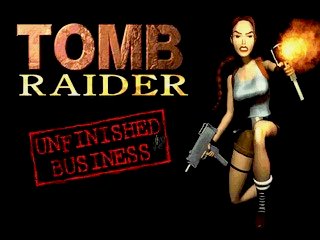
"Unfinished Business" and "Shadow of the Cat" are mini-scenarios consisting of 2 levels each. These 4 bonus levels are included on a second CD in the "Gold" edition of Tomb Raider 1 for PC, or they can be downloaded for free but require the original Tomb Raider CD to play. (Tomb Raider Gold for Macintosh includes these levels so they were not released as separate Mac downloads.)
I highly recommend using the installers/patches listed in the next section to run these bonus levels on systems with Windows XP or later. But, again, I leave the original downloads here in case anyone still wants to play with them.
- Unfinished Business - software version (6.5 MB) (walkthrough)
- Unfinished Business - 3dfx version (6.5 MB .exe file) (walkthrough)
- Unfinished Business - 3dfx version (6.5 MB .zip file) - For use with GOG installations (instruction here).
- For the Steam version, I recommend Carlmundo's Automated Installer (below).
TR1 and Unfinished Business on Newer Versions of Windows
Tomb Raider I-II-III Remastered (Steam, GOG, Epic) is absolutely the best option for playing this game on newer systems. But if you already own the classic version, it is possible to get it running.
Tomb Raider 1 and the Unfinished Business expansion were designed for DOS and should install and play just fine under Windows 95/98/Me. However, a bit of effort is needed to make them work on Windows 7 and later. The developers do not offer support, but several enterprising fans have developed solutions.
- For the Steam or GOG version of the game, try the Tomb Raider 1 Automated Fix - Improved Graphics, Resolution, Music + Expansion Pack by Carlmundo, posted on the Steam Community site. It also includes a built-in launcher for the Unfinished Business expansion pack.
- Glidos, created by Paul Gardiner, is shareware (free to try, $10 to unlock). Glidos quickly and easily installs the game and allows you to configure it with various sound and graphics enhancements, including full compatibility with the Tomb Raider Xtra high-res texture packs. Glidos also works with the GOG and Steam downloads. For details, downloads and instructions, visit Glidos.net.
TR1 on Newer Macintosh Systems
According to my sources, Tomb Raider I-II-II Remastered (Steam) runs well on current Macs via Whisky.
If you're looking for help running any of the classic Core Design Tomb Raider games on a modern Mac system, I highly recommend MacRaider. This site includes a wealth of general information on the games, as well as a detailed section on backward compatibility. It includes info on PowerPC, Mac OS9, MacIntel, Mac OSX and various methods of running Windows games on Mac systems.
- MacRaider - Home Page
- MacRaider - Old Tomb Raiders on Newer Macs
- Parallels Desktop for Mac - Utility for running Windows and Mac side by side
- Boot Camp - Apple's utility for running Windows on Intel-based Macs
- CrossOver - Windows emulator for Mac and Linux
- Wineskin - A free tool for running Windows software on Mac OSX
Other Patches and Utilities for TR1
Official Legacy Patches
Most of the TR1 patches are now obsolete. They've been replaced by separate installers for newer versions of Windows, which are described in the section above. Here are a few legacy patches for players still running Windows 95/98/Me:
- TR1 3dfx Patch for PC (450 KB)
- TR1 Voodoo Rush Patch for PC (450 KB)
- Unfinished Business 3dfx Patch for PC (352 KB)
Restore PlayStation Soundtrack in PC Version
The PlayStation version of Tomb Raider contains the full soundtrack by Nathan McCree. For some reason the PC version is missing most of these audio tracks. However, with a little tweaking they can be restored.
- For the Steam or GOG version of the game, try the Tomb Raider 1 Automated Fix - Improved Graphics, Resolution, Music + Expansion Pack by Carlmundo.
- Use Glidos to restore the PlayStation audio - Free trial, $10 to unloc. Includes many additional features (improved graphics, high-quality FMV movies, high-res texture packs). Works with CD, Steam and GOG versions.
- Restore PlayStation audio in CD version (free)
- Restore PlayStation audio in Steam version (free but not needed if you're already using the Automated Fix linked above)
Gamepad/Controller Support
In order to use a gamepad, you'll need a utility to map gamepad buttons to keyboard inputs. I still use a keyboard for the classic games, so I can't recommend any particular software, but here are just a few: DS4Windows (for Dualshock 4), InputMapper, Pinnacle Game Profiler, and XPadder.
Other UnofficiaL Patches & Mods
TR1 Last Secret Fixer by SuiKaze Raider - Due to a bug, the final secret in the game is not counted correctly. It doesn't affect gameplay, but even if you find all secrets, your stats screen will always be one short. This patch fixes the issue on the PC, PSX, and iOS versions. For details and downloads, follow this link to the relevant forum thread.
Also check out the unofficial but awesome Core-Design.com for the latest community-made updates for the original Tomb Raider.
Escapeplay Video Player
If you are unable to see the video sequences at the start of the game and between certain levels, or if you just want to watch them again, you may want to download EscapePlay (765 KB) to watch the movies outside the game. The readme.txt file included with the download explains how to use it.
Alternatively, you can watch all the Tomb Raider cinematics on my YouTube channel.
Disabling the Windows Key
TR1 runs in DOS, so accidentally pressing the Windows (Start Menu) key causes the game to crash to the desktop. This is easily prevented by downloading and using a simple utility. The Classic Tomb Raider Strategy section has details.
Trainers, Save Files and Savegame Editors
I prefer the use of savegame editors to game "trainers," but if you really want one, they are out there. Use Google to search for keywords like "tomb raider trainer." Just be sure to virus-scan any files you download.
Tomb Raider savegame files are on a separate page.
Savegame & Position Editors are fairly easy to use and make for more "realistic" cheating. Instead of making Lara invincible, you can add just a few medi-packs, a weapon or some ammo, a key you missed, or just a little extra air when Lara needs it. The position editor lets you reposition her anywhere in a level, for fun or to avoid danger.
Tomb Raider Soundtrack
The Music of Tomb Raider has collected the definitive soundracks for all the games. Visit their Community Discography page for details and downloads.